VS Code
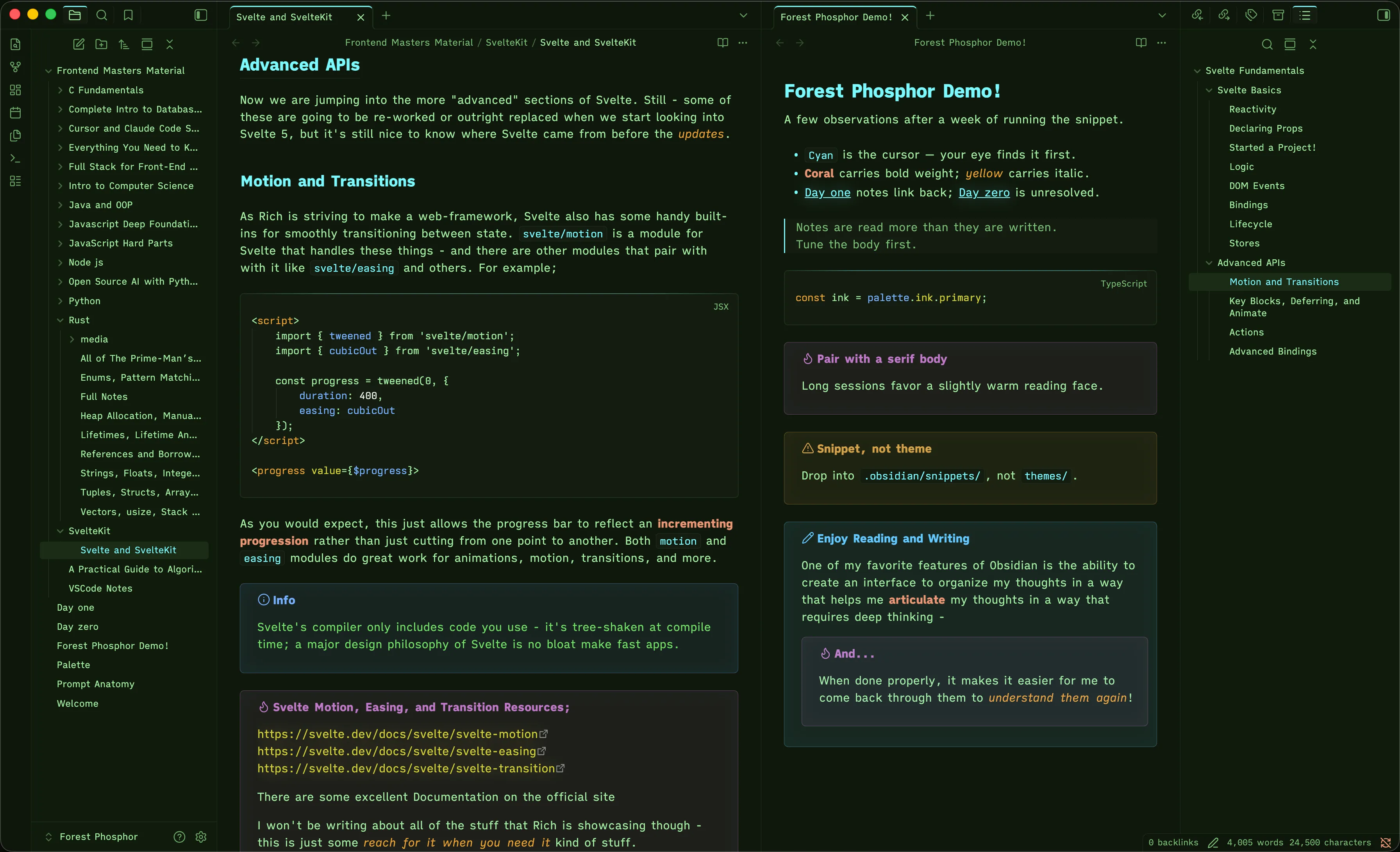
Forest Phosphor was made for reading code semantically by role. Muted pastel colors - tuned for comfortable reading over long sessions in low-light or bright environments - stay distinct without being distracting. They map to stable roles you learn once and carry into every language.
In context
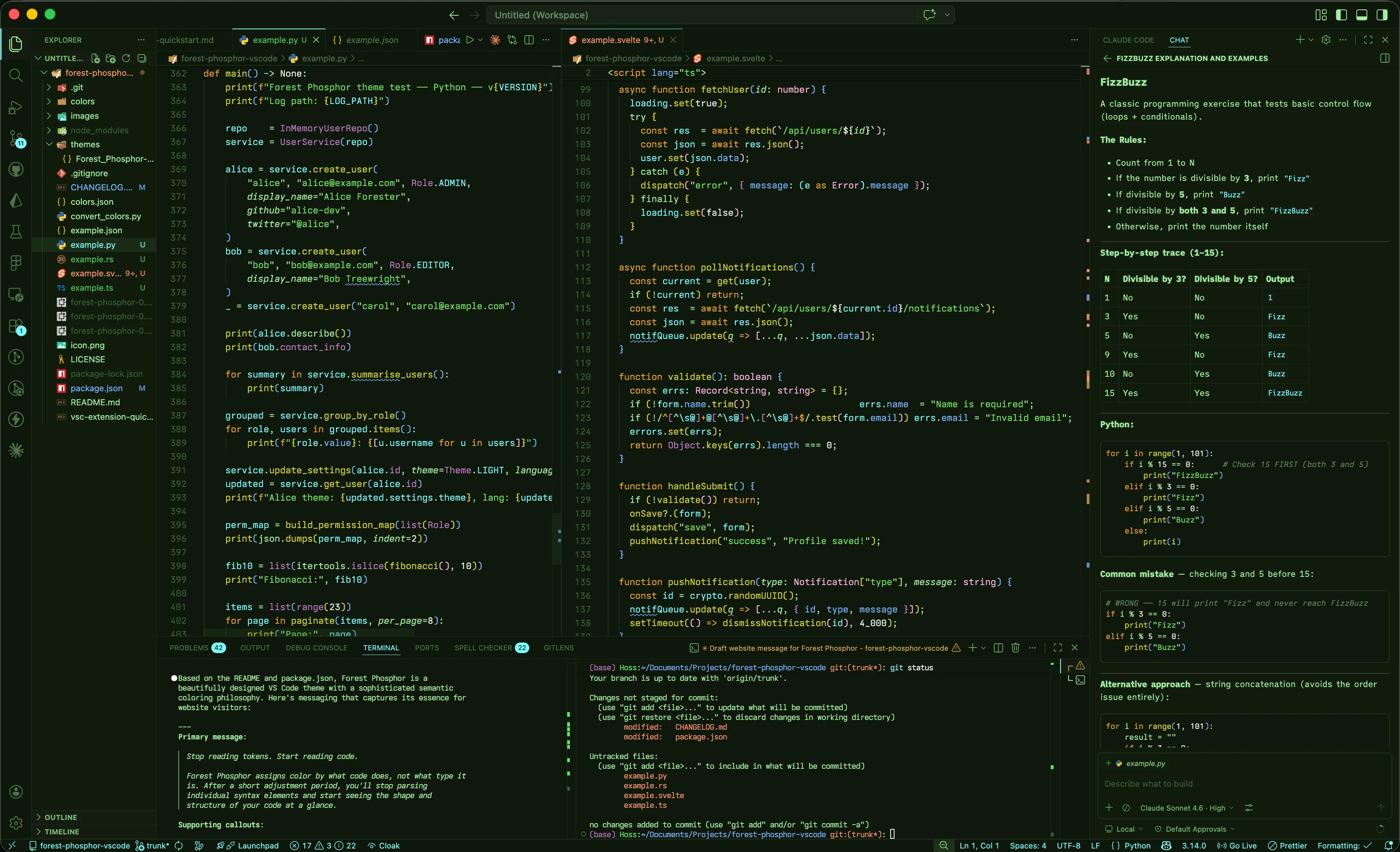
Four surfaces in one frame — file explorer, editor pane, integrated terminal, and copilot chat. The role vocabulary surfaces on its own: variables in cyan, callables in yellow, types in magenta. No legend required.
Token colors
Amber marks declaration and page structure, Soft Moss is the Foreground and acts as the linguistic flow; structural keywords, grammar, and parameters when italicized. Cyan is a variable, Blue is a property, Yellow is callable. Green is for strings, and White is for literals; numbers, bools, and absent values. Magenta is a concrete shape — class, struct, enum. Pink is an abstract one — interface, type, generic. Coral is reserved for attention, and an italicized Thick Moss is for comments.
// forest-phosphor.tsx — palette helpers
import { palette } from './palette';
import type { Palette, Token } from './types';

type Accent = keyof typeof palette.accent;

interface ThemeOptions<T extends Token> {
  fallback: T | null;
  strict: boolean;
}

enum Mode {
  Day = 'day',
  Dusk = 'dusk',
  Night = 'night',
}

@inject
class PhosphorTheme implements Palette {
  readonly version = 0x010000;
  readonly active: boolean = true;
  mode: Mode = Mode.Night;

  ink(level: 'primary' | 'muted' = 'primary'): string {
    const banner = "phosphor\nready";
    return palette.ink[level] ?? banner;
  }

  flap(beat: number = 0): void {
    palette.wings.beat = beat;
  }

  accent(name: Accent): string {
    return palette.accent[name];
  }

  async load<T extends Token>(opts: ThemeOptions<T>): Promise<T> {
    try {
      const swatch = await palette.fetch(this.mode);
      if (!swatch) throw new Error("missing swatch");
      return swatch as T;
    } catch (err) {
      if (opts.strict) throw err;
      return opts.fallback as T;
    }
  }
}

const PHOSPHOR = 0x7AF8FF;
const ENABLED = true;
const SWATCHES = new Map<Mode, string>([
  [Mode.Day,   '#A2EBA1'],
  [Mode.Dusk,  '#73E165'],
  [Mode.Night, '#7AF8FF'],
]);

function render(fp: PhosphorTheme) {
  fp.flap(2);
  return (
    <section
      data-ink={fp.ink('primary')}
      data-version={fp.version}
      aria-label="phosphor"
    >
      {PHOSPHOR}
    </section>
  );
}-
// note -
comment, punctuation.definition.comment -
if · else · && -
keyword.control, keyword.operator.logical, punctuation, structural grammar -
function · class · return · import -
storage.type, storage.modifier, keyword.control.import, keyword.operator.new, keyword.control.flow.return -
this · throw · unsafe -
variable.language.this, variable.language.self, keyword.control.throw, keyword.other.unsafe, invalid -
=> { } ; -
keyword.operator, punctuation, meta.brace -
"phosphor" -
string, string.quoted, string.template -
\n -
constant.character.escape -
42 · true · null -
constant.numeric, constant.language (true / false / null / undefined), constant.character -
userId -
variable, variable.other, entity.name.constant, entity.name.enum-member -
depth -
variable.parameter, meta.function variable.other -
fp.ink -
variable.other.property, entity.other.attribute-name, support.type.property-name, meta.object-literal.key -
render() -
entity.name.function, support.function, variable.function -
.flap() -
entity.name.method, entity.name.function.member -
class Palette -
entity.name.type.class, entity.name.struct, entity.name.enum -
interface User -
entity.name.type.interface, entity.name.type.alias, entity.name.type.parameter, support.type.primitive -
@inject -
meta.decorator, storage.type.annotation, punctuation.decorator -
<section> -
entity.name.tag, meta.tag.sgml, punctuation.definition.tag
Deep greens, cyan signal
Old CRT phosphor monitors were the original inspiration for the theme, and the greens in particular are directly inspired from those displays. The Surface colors are close enough in tone that the chrome never competes with the code, and dark enough that a four-hour session in a dim room doesn't tax the eyes. The surface colors sit below conscious attention; these colors should be subtle. You don't need them to draw your attention — your eyes and brain understand the hierarchy without a single thought about it.
Against that quiet field, cyan carries full weight. In the Chrome, it is used for peripherals and "you are here" affordances — the active tab border, status bar text, badges, peek frames, the global focus ring. Nothing decorative gets cyan; when you see it, it means something. The caret is the one element painted outside the palette entirely — pure white, with a traditional blink, because the cursor needs to be findable at a glance
Surfaces · deep greens
#0F180C editor canvas
#101C0C file explorer column
#0E170B off-canvas chrome (activity bar, panel, status)
#1A2C16 elevated state — selected row in tree / list
#131C10 caret line
#1E3119 indent hairlines
Signal · cyan affordances
#7AF8FF cyan bar marks the focused tab
#7AF8FF status text is cyan against bg-sink
#7AF8FF unread / count badges
#7AF8FF peek-definition frame
#7AF8FF80 cyan @ 50% — global focus ring
#FFFFFF The only non-palette accent in the theme
Diff & git decorations
Diff colors should tell you what changed; they shouldn't trigger a stress response. Forest Phosphor's git palette is calm by design — added is green, modified is blue, deleted is gold (softer than amber), conflicts go to yellow. Every diff surface (gutter markers, line backgrounds, file-tree decorations, overview ruler) draws from the same four hues, so the legend is consistent across the editor and the sidebar.
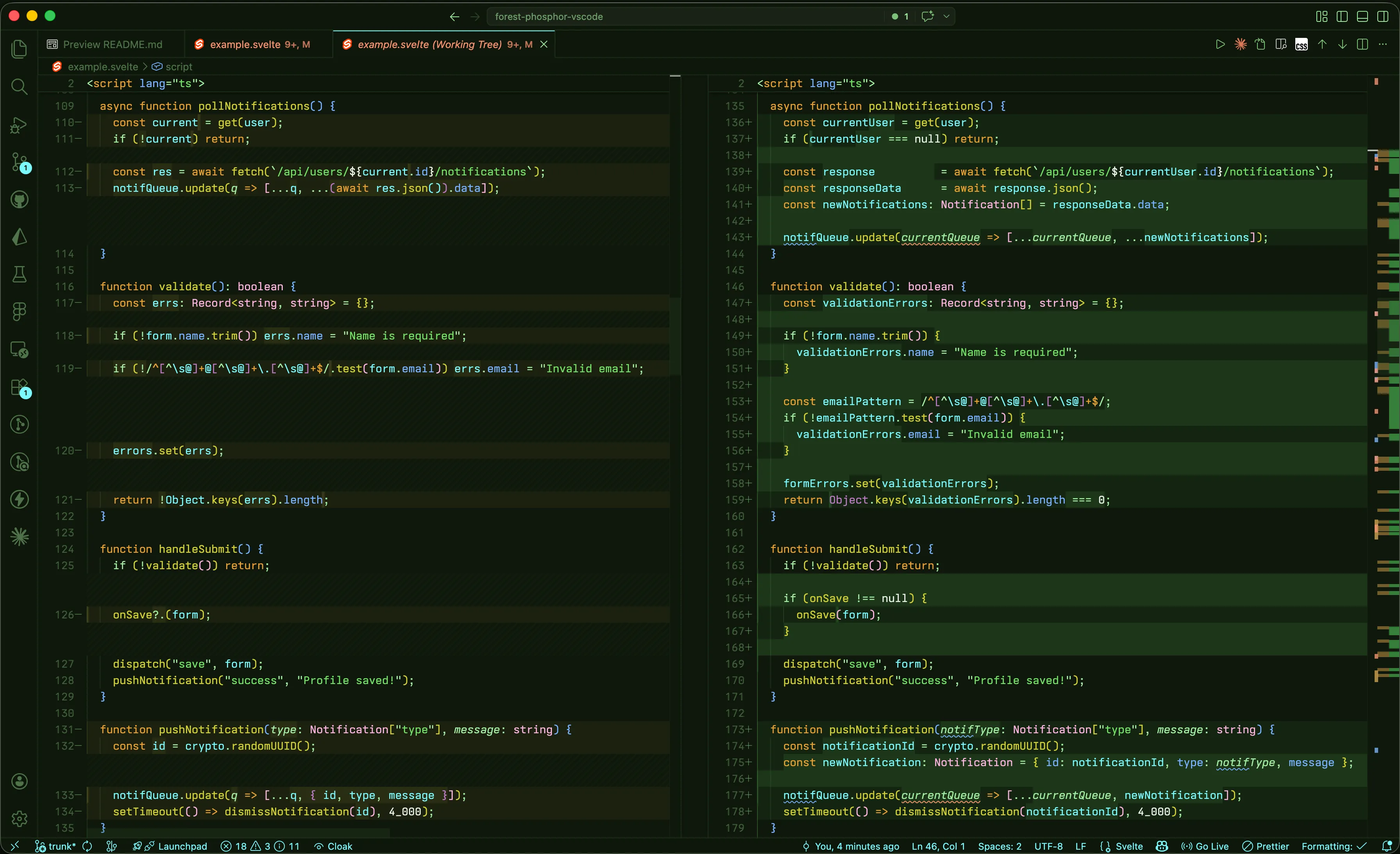
- added
gitDecoration.addedResourceForegroundinserted lines, new files (a slightly cooler green than the string accent)
- modified
gitDecoration.modifiedResourceForegroundchanged lines, staged-modified files — blue, not yellow
- deleted
gitDecoration.deletedResourceForegroundremoved lines, deleted files — gold, never red
- conflict
gitDecoration.conflictingResourceForegroundmerge conflicts — yellow
Integrated terminal
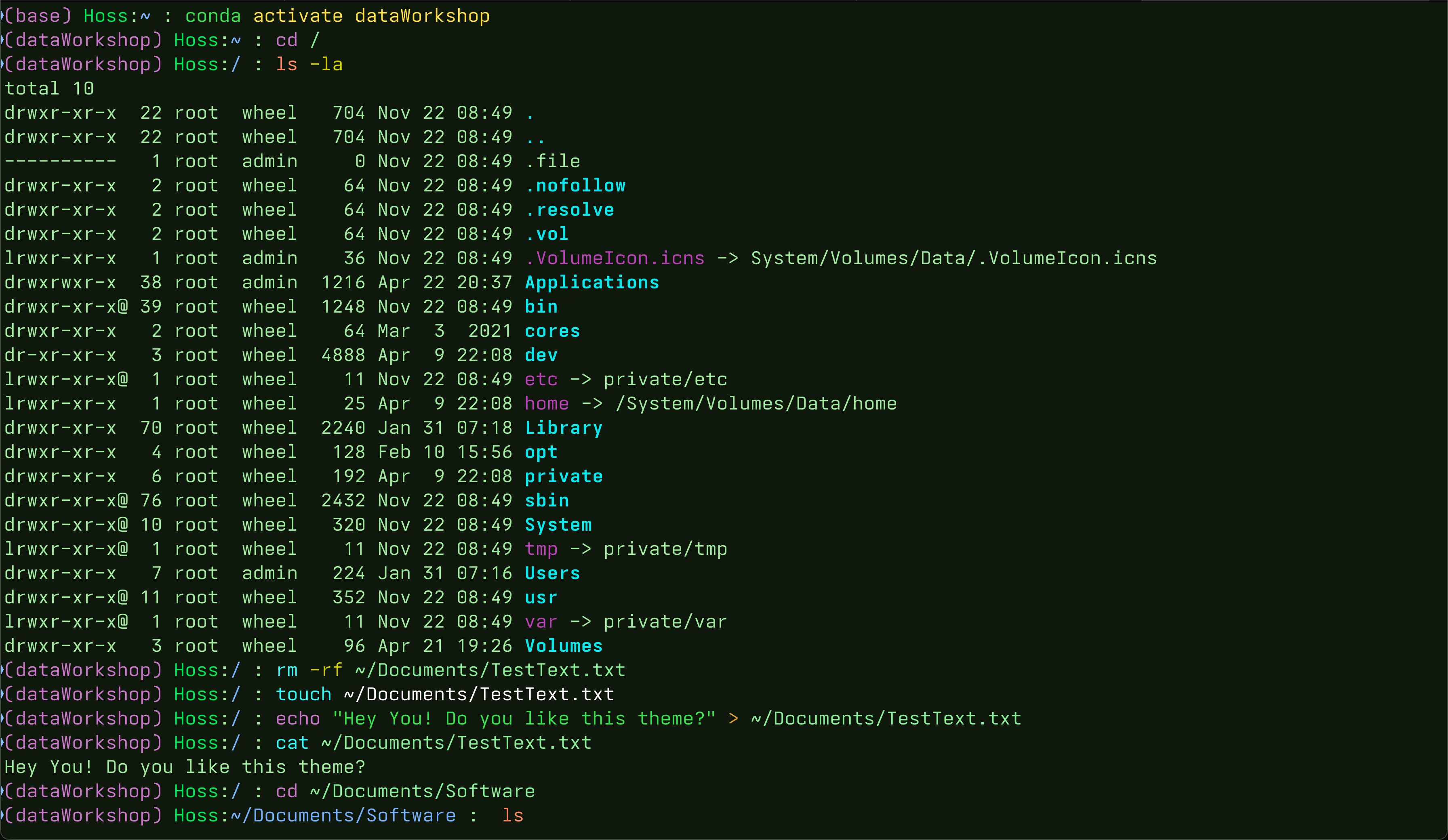
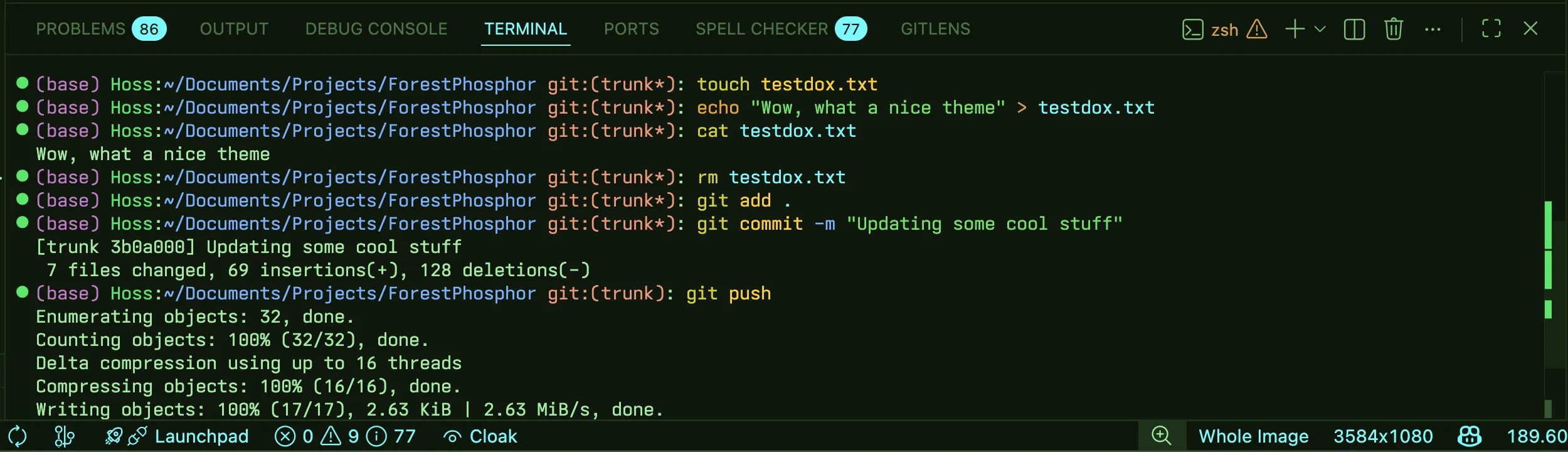
terminal.background matches the editor canvas (#0F180C), so
split-panes read as one surface. The colors used in the terminal are similar to the
VSCode theme in spirit, but roles are inherently different in the CLI. Yellow is still callable, amber is still builtin commands, coral for errors, green for strings, cyan for directories and blue for flags and the working
directory in the prompt, and Purple for the conda type in the prompt.
The manifest
The theme ships as a single JSON file — now over 2,300 lines. It's built TypeScript-first, with expanding deep coverage for Python and Rust. Because those languages push into broad TextMate scope territory, support for a wide range of other languages follows as a byproduct; if a grammar defines standard scopes, the palette maps onto them. The file also includes extensive work on markdown rendering inside VS Code — headings, emphasis, fenced code, link targets, and block quotes all carry intentional color assignments. Coverage isn't complete, but the direction is toward exhaustive rather than minimal.
{
  "name": "Forest Phosphor",
  "semanticHighlighting": true,
  "colors": {
    "editor.background":          "#0F180C",
    "editor.foreground":          "#A2EBA1",
    "editorCursor.foreground":    "#FFFFFF",
    "tab.activeBorderTop":        "#7AF8FF",
    "activityBar.background":     "#0E170B",
    "activityBarBadge.background": "#7AF8FF",
    "sideBar.background":         "#101C0C",
    "statusBar.foreground":       "#7AF8FF",
    "focusBorder":                "#7AF8FF80"
  },

  // TextMate fallback — coarse, scope-based.
  "tokenColors": [
    { "scope": "comment",
      "settings": { "fontStyle": "italic", "foreground": "#5C8656" } },
    { "scope": ["storage.type", "storage.modifier", "keyword.control.import"],
      "settings": { "foreground": "#E8A030" } },
    { "scope": ["variable.language.this", "keyword.control.throw", "invalid"],
      "settings": { "foreground": "#EA9575" } },
    { "scope": ["variable.other.property", "entity.other.attribute-name"],
      "settings": { "foreground": "#77B0FF" } },
    { "scope": ["entity.name.type.class", "entity.name.struct", "entity.name.enum"],
      "settings": { "foreground": "#C07AC8" } },
    { "scope": ["entity.name.type.interface", "entity.name.type.alias", "support.type.primitive"],
      "settings": { "foreground": "#FFB4E2" } }
  ],

  // Language-server map — precise, role-based. This is where the theme lives.
  "semanticTokenColors": {
    "namespace":     "#A2EBA1",

    "type":          "#FFB4E2",
    "interface":     "#FFB4E2",
    "typeParameter": "#FFB4E2",

    "class":         "#C07AC8",
    "enum":          "#C07AC8",
    "decorator":     "#C07AC8",

    "function":      "#D1CF32",
    "method":        "#D1CF32",

    "variable":      "#7AF8FF",
    "enumMember":    "#7AF8FF",

    "property":      "#77B0FF",
    "field":         "#77B0FF",

    "parameter":     { "foreground": "#A2EBA1", "italic": true },
    "selfParameter": { "foreground": "#EA9575", "italic": true },

    "*.abstract":    { "italic": true },
    "*.deprecated":  { "strikethrough": true }
  }
}